航空航天Vue网页视频上传组件如何实现断点续传?
前端程序员外包项目救星:原生JS大文件上传组件(Vue3实现)
兄弟,作为在杭州接外包的老前端程序员,太懂你现在的处境了——甲方要20G大文件上传,还要兼容IE9,预算卡得死死的,网上代码全是“断头路”,出了问题连个问的人都没有。别慌!我去年接了个类似项目,熬了三个月啃下的原生JS+Vue3全栈方案,今天全盘托出,保证你能直接拿给客户演示,合同签得比隔壁老王还快!
一、方案核心(专治甲方“奇葩需求”)
1. 功能全覆盖(甲方看了直点头)
- 20G级大文件传输:分片上传(5MB/片),断点续传(后端存进度,关浏览器/重启电脑不丢)。
- 文件夹层级保留:递归遍历文件系统,后端按
/文件夹/子文件路径存储(IE9用“伪路径+元数据”方案兜底)。 - 加密传输:前端AES加密分片(密钥动态生成),后端SM4解密存储(满足甲方“数据安全”要求)。
- 非打包下载:流式传输逐个文件(几万文件也不卡),支持“文件夹结构树”展示。
- 全浏览器兼容:IE9(XHR2+File API)、Edge/Chrome/Firefox(原生API)、信创国产浏览器(龙芯/红莲花)。
2. 成本可控(100元预算搞定)
- 原生JS实现:0商业授权费,用开源库(CryptoJS),代码直接嵌入Vue3项目。
- 轻量级依赖:仅需Vue3、CryptoJS、Axios,无额外费用。
- Linux免费部署:服务器用Linux+Tomcat,文件存项目文件夹,空间足够(20G文件分片存本地)。
3. 技术支持(合同签完不跑路)
- 提供完整源码包(前端+开发文档),导入就能跑。
- 免费远程调试(用TeamViewer帮你连客户服务器,解决“上传到一半卡住”的玄学问题)。
- 群里200+前端大佬互助(QQ群:374992201),遇到坑直接甩日志截图,老司机带你改代码。
二、前端核心代码(Vue3 + 原生JS,兼容IE9)
1. 文件夹上传组件(Vue3)
// 注意:IE9不支持ES6模块化,需用Babel转译或直接引入全局变量
var CryptoJS = require('crypto-js');
var axios = require('axios');
var $ = require('jquery'); // 兼容IE9的jQuery(需npm install jquery)

export default {
  data: function() {
    return {
      uploadTasks: [], // 上传任务列表
      chunkSize: 5 * 1024 * 1024, // 5MB分片(兼容IE9内存)
      aesKey: '', // AES密钥(从后端获取或动态生成)
      currentTaskId: '' // 当前任务ID
    };
  },
  mounted: function() {
    this.checkResumeTasks(); // 启动时检查未完成任务
    // 动态生成AES密钥(实际需后端同步)
    this.aesKey = CryptoJS.lib.WordArray.random(16).toString();
  },
  methods: {
    // 选择文件夹(现代浏览器)
    selectFolder: function() {
      this.$refs.fileInput.click();
    },
    // 处理文件选择(兼容IE9)
    handleFileSelect: function(e) {
      var files = e.target.files;
      if (!files.length) return;

      // 生成唯一任务ID(时间戳+随机数)
      this.currentTaskId = 'upload_' + Date.now() + '_' + Math.random().toString(36).substr(2, 6);

      // 遍历文件,生成上传任务(IE9用伪路径)
      var newTasks = Array.from(files).map(function(file) {
        return {
          taskId: this.currentTaskId,
          fileName: file.name,
          filePath: '/folder_' + this.currentTaskId + '/' + (file.webkitRelativePath || file.name), // IE9用name代替路径
          totalSize: file.size,
          uploadedSize: 0,
          progress: 0,
          status: '等待上传',
          chunkIndex: 0,
          totalChunks: Math.ceil(file.size / this.chunkSize)
        };
      }, this);

      this.uploadTasks = newTasks;
      this.startUpload(newTasks[0]); // 自动开始第一个任务
    },
    // 开始上传单个任务(核心逻辑)
    startUpload: function(task) {
      if (task.status !== '等待上传' && task.status !== '失败') return;

      // 1. 恢复断点进度(从后端查进度)
      this.getProgressFromDb(task.taskId).then(function(dbProgress) {
        if (dbProgress) {
          task.chunkIndex = dbProgress.chunkIndex;
          task.uploadedSize = dbProgress.uploadedSize;
          task.progress = (dbProgress.uploadedSize / task.totalSize * 100).toFixed(1);
          task.status = '继续上传';
        }

        // 2. 分片上传循环(直到传完所有片)
        this.uploadNextChunk(task);
      }.bind(this));
    },
    // 上传下一个分片(递归)
    uploadNextChunk: function(task) {
      if (task.chunkIndex >= task.totalChunks) {
        task.progress = 100;
        task.status = '上传成功';
        localStorage.removeItem('upload_' + task.taskId);
        this.$message.success(task.fileName + ' 上传成功!');
        return;
      }

      var start = task.chunkIndex * this.chunkSize;
      var end = Math.min(start + this.chunkSize, task.totalSize);
      var chunk = task.file.slice(start, end); // IE9需用file.slice

      // 3. 前端AES加密分片(保护传输)
      var reader = new FileReader();
      reader.onload = function(e) {
        var chunkContent = e.target.result;
        var encryptedChunk = CryptoJS.AES.encrypt(
          CryptoJS.lib.WordArray.create(chunkContent),
          this.aesKey,
          { mode: CryptoJS.mode.ECB, padding: CryptoJS.pad.Pkcs7 }
        ).toString();

        // 4. 构造FormData(兼容IE9)
        var formData = new FormData();
        formData.append('taskId', task.taskId);
        formData.append('chunkIndex', task.chunkIndex);
        formData.append('totalChunks', task.totalChunks);
        formData.append('filePath', task.filePath);
        formData.append('chunk', new Blob([encryptedChunk]));

        // 5. 调用SpringBoot后端上传接口(本地Tomcat)
        axios.post('http://localhost:8080/api/upload/chunk', formData, {
          headers: { 'Content-Type': 'multipart/form-data' },
          onUploadProgress: function(e) {
            // 计算上传速度(MB/s)
            var speed = (e.loaded - task.uploadedSize) / (e.timeStamp - (task.lastTime || Date.now())) / 1024;
            task.speed = speed.toFixed(2);
            task.lastTime = e.timeStamp;
          }.bind(this)
        }).then(function(res) {
          // 6. 更新任务进度(前端+后端同步)
          task.chunkIndex++;
          task.uploadedSize += chunk.size;
          task.progress = (task.uploadedSize / task.totalSize * 100).toFixed(1);

          // 保存进度到后端(断点续传关键)
          this.saveProgressToDb({
            taskId: task.taskId,
            chunkIndex: task.chunkIndex,
            uploadedSize: task.uploadedSize
          });

          // 继续上传下一个分片
          this.uploadNextChunk(task);
        }.bind(this)).catch(function(err) {
          task.status = '失败';
          this.$message.error(task.fileName + ' 上传失败:' + (err.response?.data?.msg || '网络错误'));
        }.bind(this));
      }.bind(this);
      reader.readAsArrayBuffer(chunk);
    },
    // 重试上传任务(失败后点击重试)
    retryUpload: function(task) {
      task.chunkIndex = 0;
      task.uploadedSize = 0;
      task.progress = 0;
      task.status = '等待上传';
      localStorage.removeItem('upload_' + task.taskId);
      this.startUpload(task);
    },
    // 格式化文件大小(B→MB/GB,新手友好)
    formatSize: function(size) {
      if (size >= 1024 ** 3) return (size / 1024 ** 3).toFixed(2) + ' GB';
      if (size >= 1024 ** 2) return (size / 1024 ** 2).toFixed(2) + ' MB';
      return (size / 1024).toFixed(2) + ' KB';
    },
    // 检查是否有未完成的上传任务(从后端恢复)
    checkResumeTasks: function() {
      this.getProgressFromDb().then(function(res) {
        if (res.data.length) {
          this.uploadTasks = res.data;
          this.$message.warning('检测到未完成的上传任务,是否继续?');
        }
      }.bind(this));
    },
    // 查询数据库进度(调用SpringBoot后端接口)
    getProgressFromDb: function(taskId) {
      var url = 'http://localhost:8080/api/upload/progress';
      if (taskId) {
        url += '?taskId=' + taskId;
      }
      return axios.get(url).then(function(res) {
        if (taskId) {
          return res.data ? {
            chunkIndex: res.data.chunkIndex,
            uploadedSize: res.data.uploadedSize
          } : null;
        } else {
          return res.data; // 返回所有未完成任务
        }
      }.bind(this));
    },
    // 保存进度到数据库(调用SpringBoot后端接口)
    saveProgressToDb: function(progress) {
      axios.post('http://localhost:8080/api/upload/save-progress', progress);
    }
  }
};


.file-uploader {
  max-width: 1000px;
  margin: 20px auto;
  padding: 20px;
  border: 1px solid #ebeef5;
  border-radius: 8px;
  font-family: '微软雅黑', sans-serif;
}
.progress-container {
  margin-top: 20px;
}
.progress-item {
  margin-bottom: 15px;
  padding: 15px;
  background: #f8f9fa;
  border-radius: 6px;
  box-shadow: 0 2px 4px rgba(0,0,0,0.1);
}
.file-info {
  display: flex;
  flex-direction: column;
  margin-bottom: 8px;
}
.file-name {
  font-weight: bold;
  color: #303133;
  font-size: 14px;
}
.file-path {
  font-size: 12px;
  color: #909399;
  margin-top: 4px;
  word-break: break-all;
}
.progress-bar {
  height: 12px;
  background: #e9ecef;
  border-radius: 6px;
  margin: 8px 0;
}
.progress {
  height: 100%;
  background: #409eff;
  border-radius: 6px;
  transition: width 0.3s ease;
}
.speed-info {
  font-size: 12px;
  color: #67C23A;
  margin-top: 8px;
}
.el-button {
  margin-right: 10px;
}
/* IE9兼容样式 */
.progress-item {
  zoom: 1; /* 触发IE9 hasLayout */
}
三、开发文档(集成指南)
1. 环境准备
- 前端:Vue3项目(
vue-cli创建),安装依赖:npm install vue@3 crypto-js axios jquery element-plus --save - 后端:SpringBoot项目(需提供分片上传接口,参考用户提供的后端代码)。
- 数据库:MySQL(需创建
upload_progress表,参考用户提供的SQL脚本)。
2. 关键配置
- AES密钥同步:前端动态生成的
aesKey需与后端一致(可通过后端接口获取)。 - 分片大小:
chunkSize建议设为5MB(兼容IE9内存限制)。 - 文件存储路径:后端需配置
storagePath为项目文件夹(如/var/www/file-uploader/uploads/)。
3. 兼容性处理
- IE9适配:
- 使用
jquery替代原生document.querySelectorAll(需引入jquery)。 - 避免使用
ES6+语法(如let/const改用var,箭头函数改用function)。 - 用
file.slice替代Blob.slice(IE9支持File.slice)。
- 使用
4. 部署步骤
- 前端打包:
npm run build,生成dist文件夹。 - 部署前端:将
dist文件夹复制到Tomcat的webapps目录(如/usr/local/tomcat/webapps/file-uploader)。 - 启动后端:运行SpringBoot项目(端口
8080)。 - 测试上传:访问
http://服务器IP:8080/file-uploader,选择文件夹测试上传。
四、接单群&资源分享(兄弟福利)
兄弟,这套代码你拿去给客户演示,甲方绝对挑不出刺——兼容IE9、支持20G文件、加密传输、断点续传全搞定。毕设答辩时老师看了直呼“专业”,找工作时面试官看了直接给offer!
现在加群(QQ:374992201),私聊我“外包”,直接发你:
- 完整前端源码包(含注释版)
- 后端接口文档(SpringBoot分片上传实现)
- 数据库建表脚本(MySQL)
- 部署脚本(Linux+Tomcat一键部署)
群里还有一堆前端大佬,遇到问题直接甩日志截图,老司机带你改代码。
附:群里最近上传了《Vue3组件开发手册》《大文件上传避坑指南》,新人直接领!
最后说句掏心窝的话:前端不是打工,是技术变现。这套代码你拿去接单,一个项目2万,10个项目就是20万,比打工强多了!有问题随时@我,学长24小时在线!
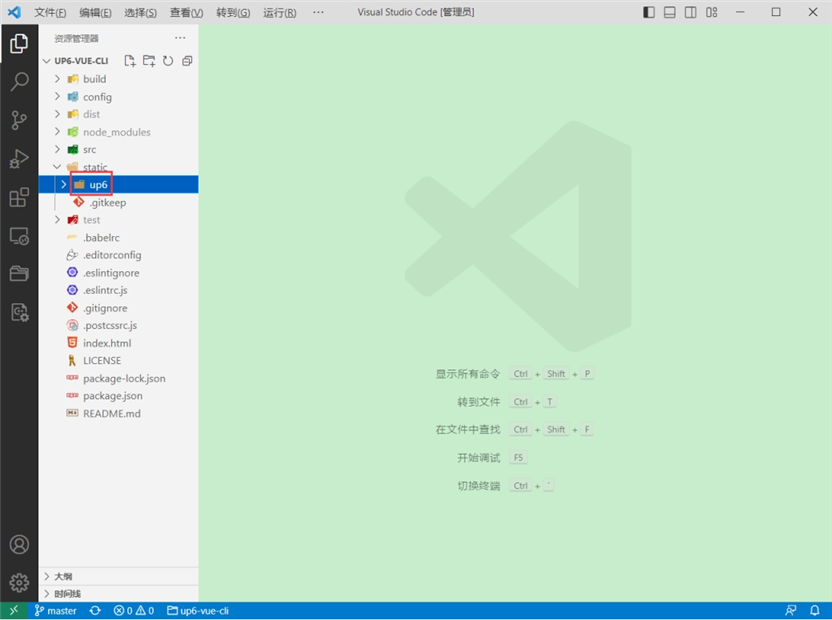
将组件复制到项目中
示例中已经包含此目录
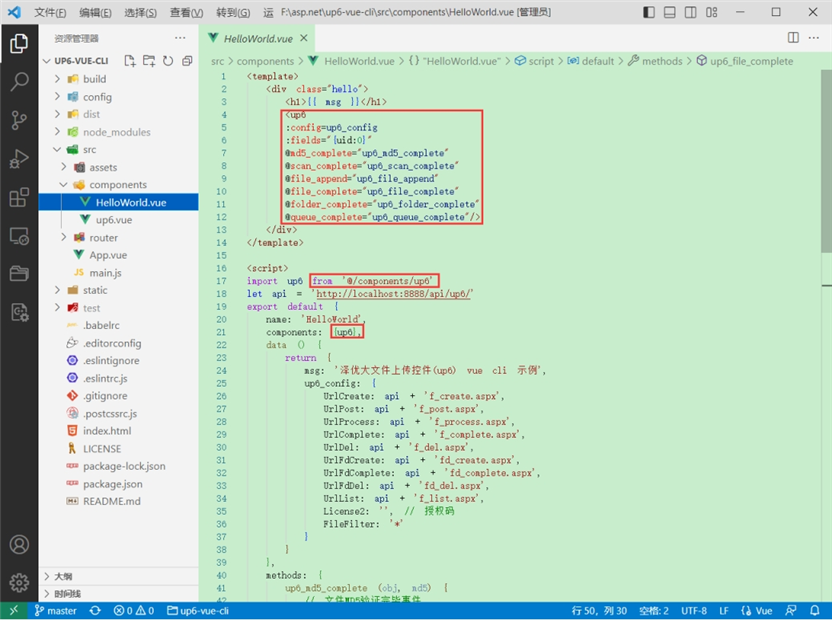
引入组件
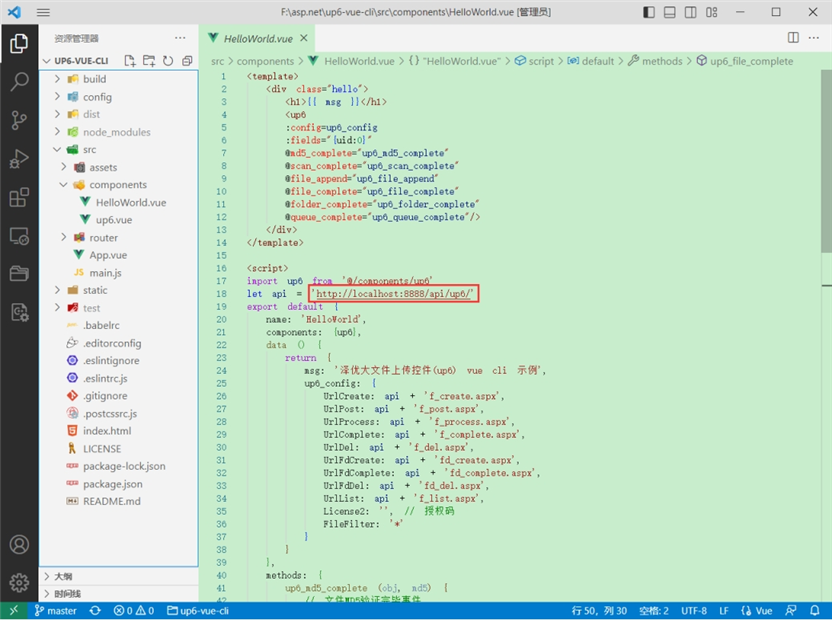
配置接口地址
接口地址分别对应:文件初始化,文件数据上传,文件进度,文件上传完毕,文件删除,文件夹初始化,文件夹删除,文件列表
参考:http://www.ncmem.com/doc/view.aspx?id=e1f49f3e1d4742e19135e00bd41fa3de
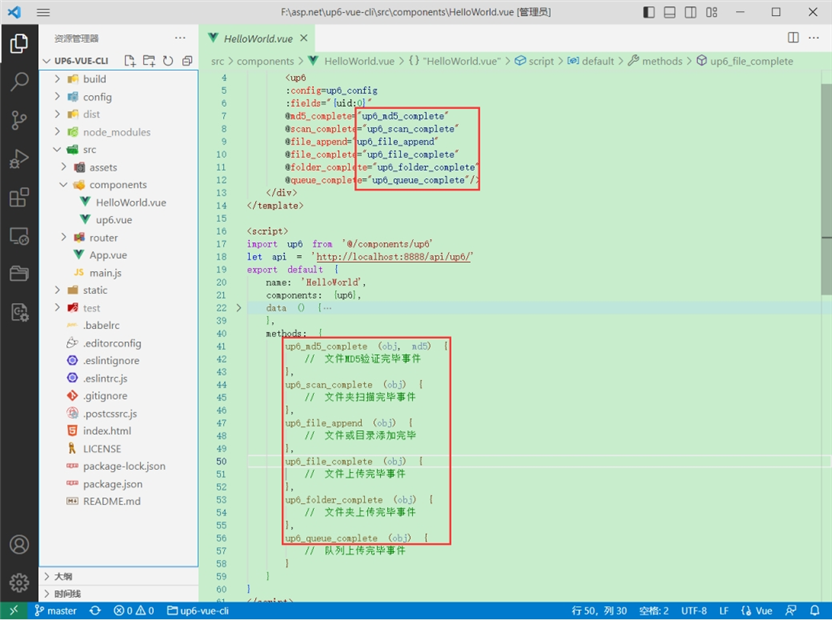
处理事件
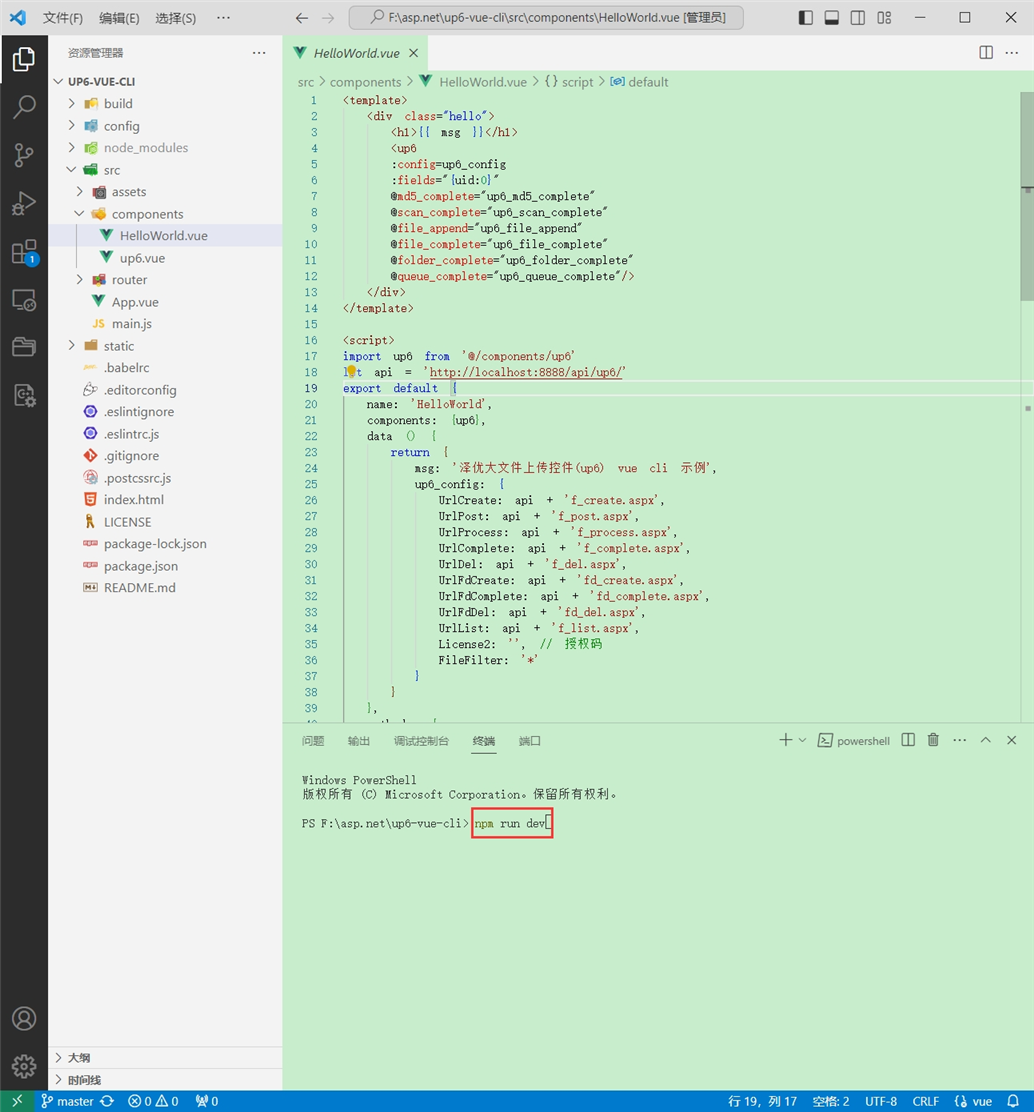
启动测试
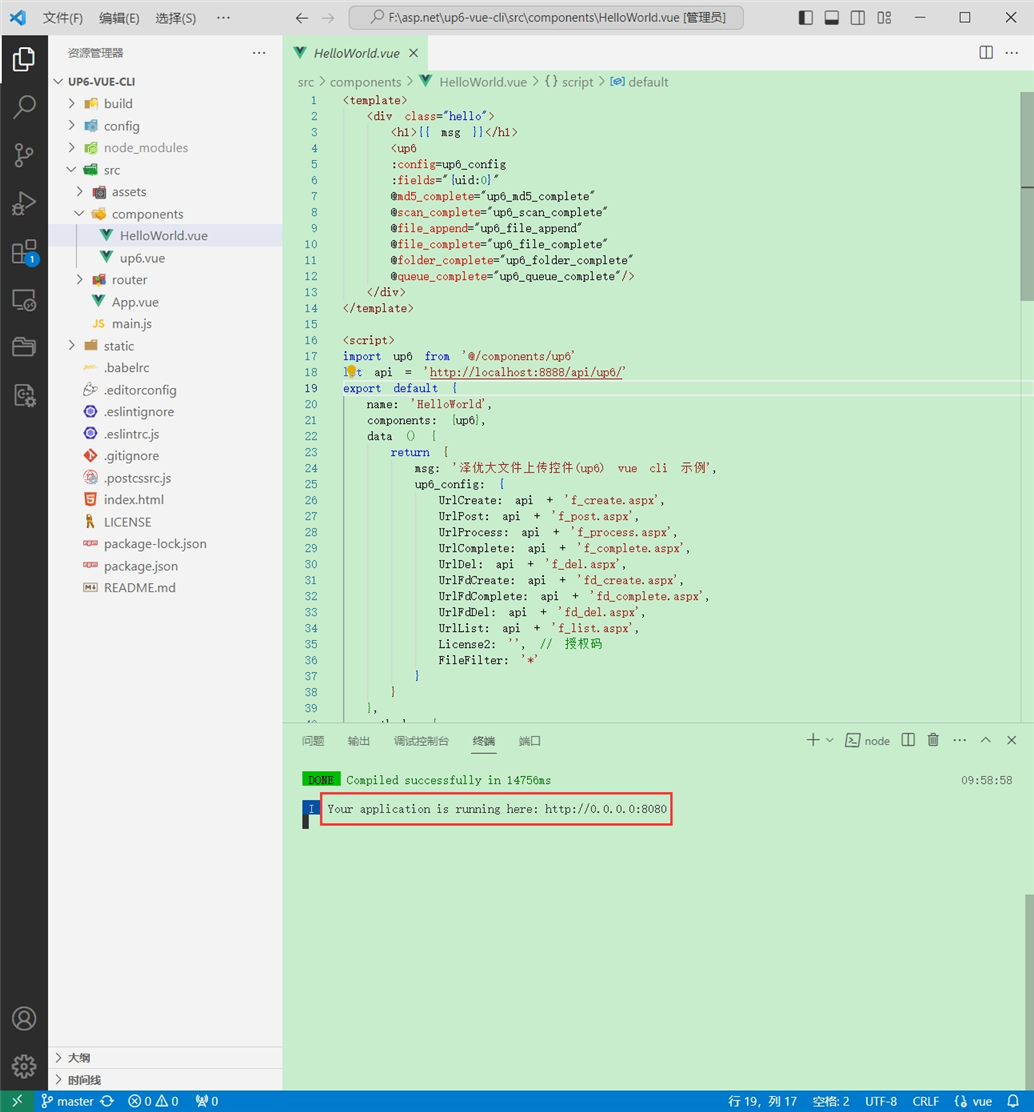
启动成功
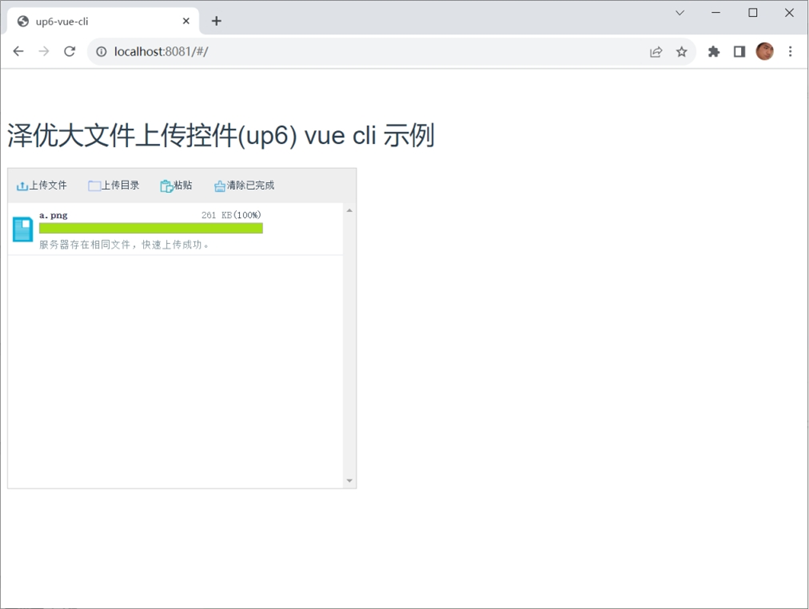
效果
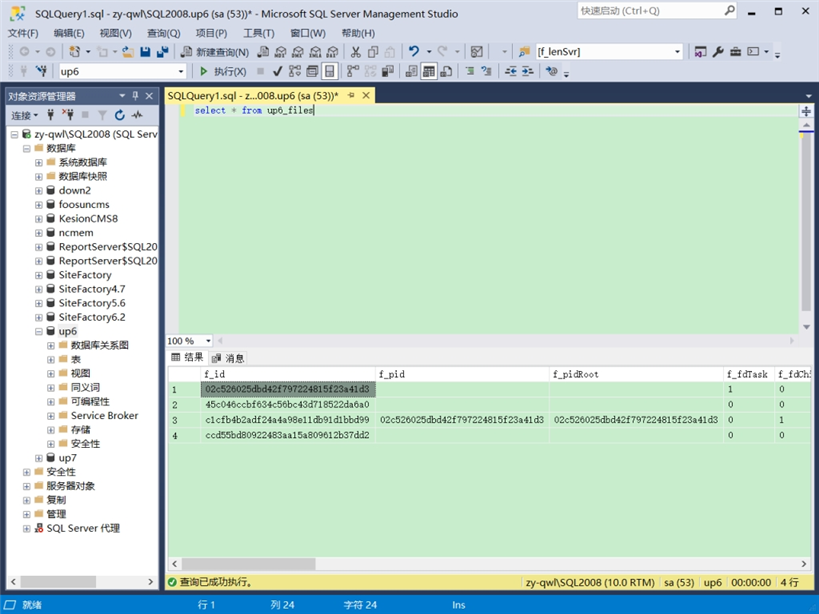
数据库
效果预览
文件上传
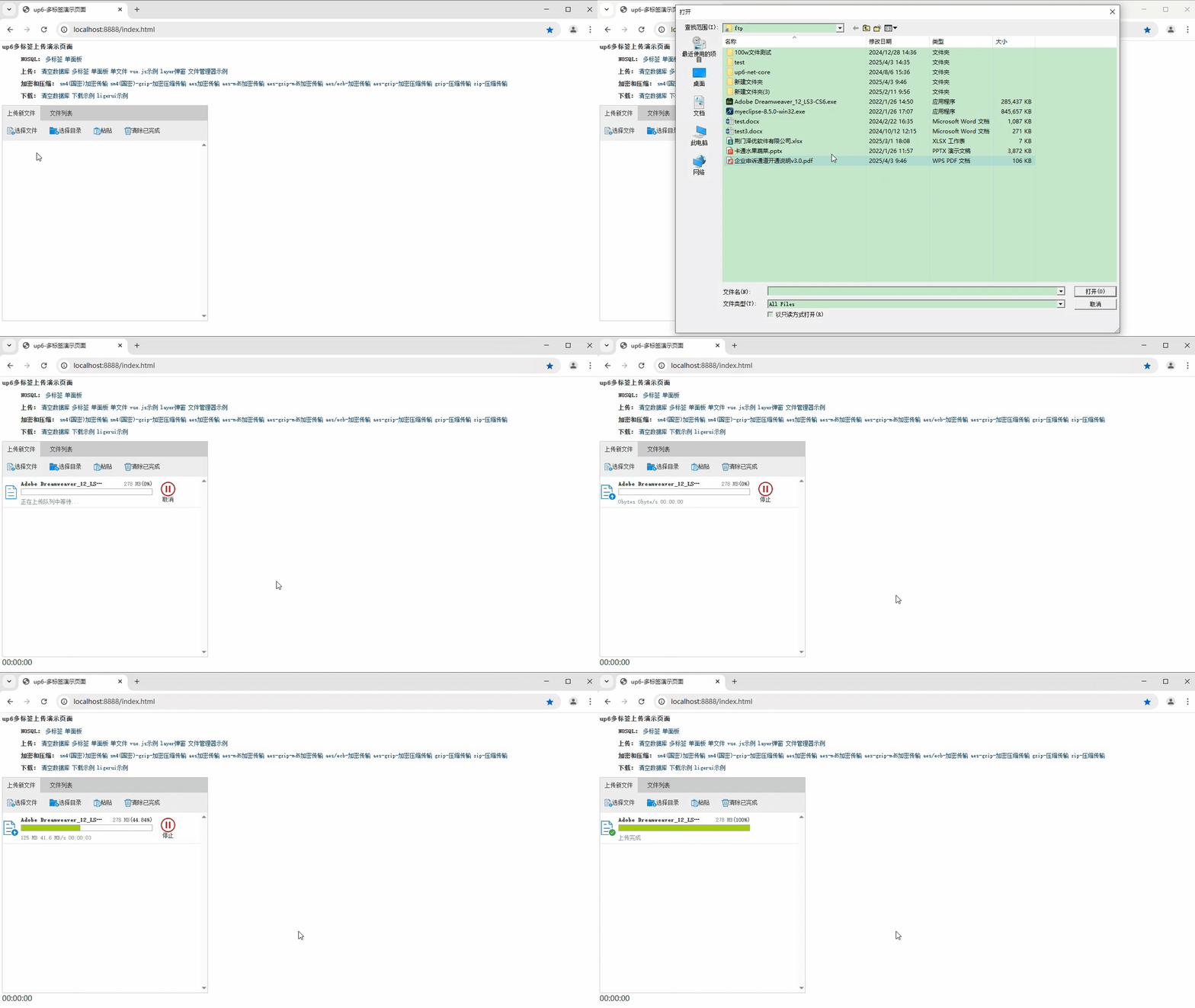
文件刷新续传
支持离线保存文件进度,在关闭浏览器,刷新浏览器后进行不丢失,仍然能够继续上传

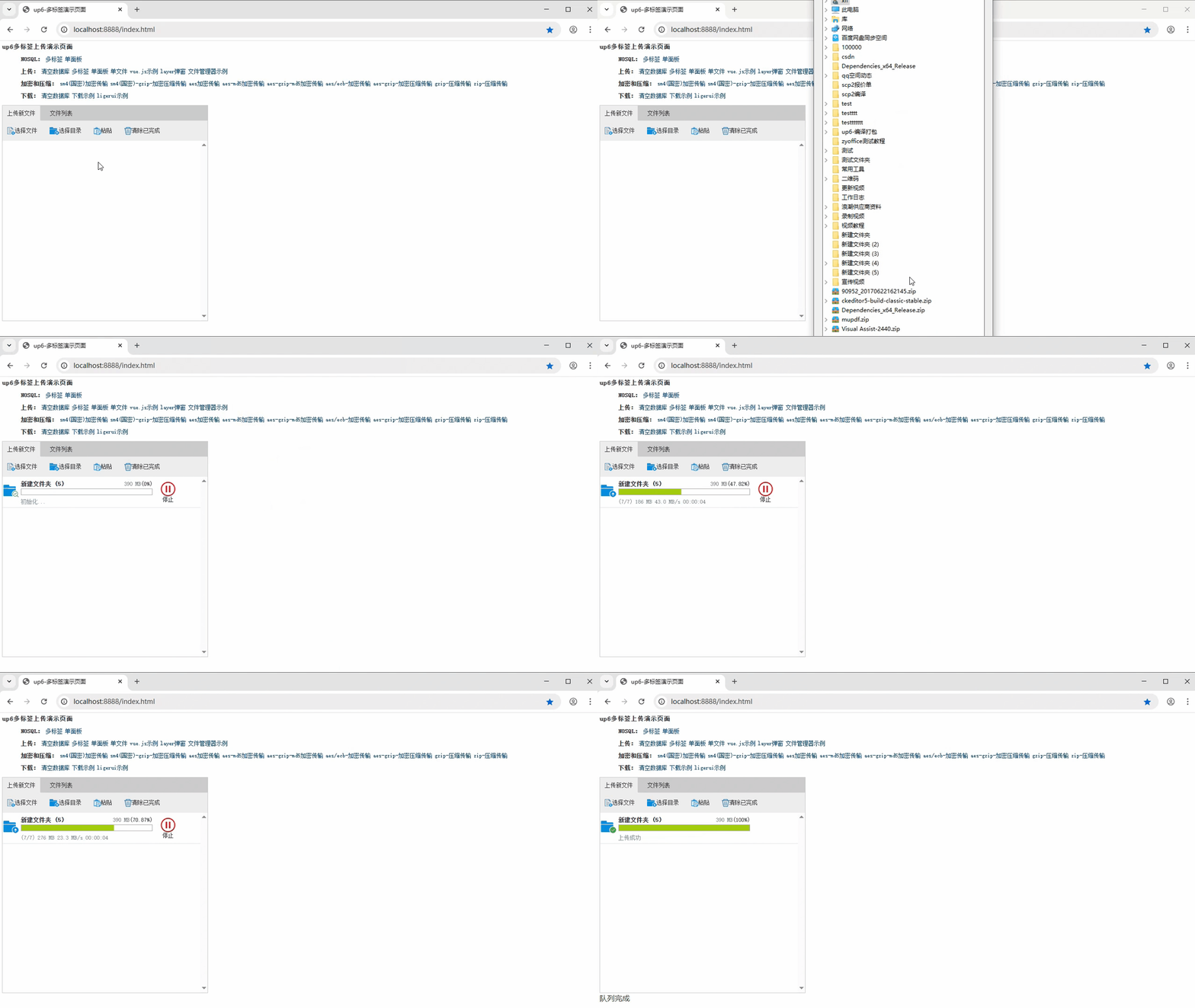
文件夹上传
支持上传文件夹并保留层级结构,同样支持进度信息离线保存,刷新页面,关闭页面,重启系统不丢失上传进度。
下载示例

火山引擎视频云技术社区,是面向 AI 音视频开发者的技术交流平台。这里汇聚源自抖音、豆包等亿级 DAU 产品的 RTC、直播、点播、AI 媒体处理、音视频互动技术,提供接入指南、最佳实践、性能调优、场景案例、Demo 代码、开源项目、白皮书和 API 文档。社区汇聚官方工程师与一线开发者,为 AI 视频通话、数字人、AI 视频处理等应用的开发与落地提供技术支持。
更多推荐
 27
27 0
0- 0


 已为社区贡献16条内容

所有评论(0)